 Skip to content

Festive Season Local SEO: Your December Booking Test
By David Gous · Research reviewed
Categories: Local SEO · Google Business Profile
Tags: Festive Season SEO · Local SEO South Africa · Cape Town Local Search · Google Business Profile
Can a customer find your business at 18:30, understand tomorrow’s arrangements and take the right next step? Use the December Booking Test to find out.

In this guide
What is festive season local SEO?
Festive season local SEO is the work of keeping your business information, seasonal offers and customer journeys accurate and connected before holiday customers need them. Check holiday hours, explain what can be booked or bought, give a clear next step and show when a request becomes confirmed. Start with the information your staff can verify.
Imagine a family planning tomorrow’s Cape Town outing at 18:30. They find an attraction, but still need to establish its opening arrangements, whether a booking is necessary and what happens after they click. A shop customer in Mitchell’s Plain may need the same clarity about stock, collection and when an order will be ready.
This guide is written for owners, managers and website providers preparing for December 2026. It combines a dated review of public venue pages with a practical test you can run on your own business. The opening scenarios and worked copy example are hypothetical, not reports of customers we interviewed.
Your Cape Town December activity guide helps visitors choose an outing. This companion explains the business information that should support that decision. Retailers planning promotions can also use the separate Black Friday SEO preparation guide.
What we checked on 30 October 2026
We selected 12 official websites serving Cape Town and the wider Western Cape visitor market. The sample included museums, attractions, tour services and wine farms. We obtained readable public homepage content from 10. Two captures could not be assessed with this method.
This was a bounded HTML review, not a representative survey of South African businesses. We looked for explicit visit information, visible booking destinations and useful distinctions between services. Some captures were truncated; we use positive observations from the text obtained and do not treat missing text as proof that information is absent.
We did not compare Google Maps profiles, visit the venues, run mobile usability tests or submit bookings. We did not confirm December capacity, prices or future opening arrangements with operators. Named examples illustrate information design, not a ranking, endorsement or full website audit.
The useful finding: opening hours, permission to walk in, availability of an activity and a confirmed reservation answer different questions. A customer needs the relevant answers together. The following observations show ways to make those distinctions visible.
What the local venue pages make clear
Explain the visit requirement alongside the hours
The District Six Museum homepage displayed Monday-to-Saturday opening hours and separately stated that bookings are essential, with a link to Quicket. The lesson is specific: publishing hours does not answer whether someone can arrive without a reservation. Put the visit requirement near the customer’s next action. Check the museum’s current information for your intended date.
Waterford Estate distinguished standard hours, summer hours and restaurant hours, then listed closure days. That structure acknowledges that different parts of one business can operate differently. We did not establish the applicable summer date range or confirm December 2026 arrangements. Your own notice should make the year, affected service and exceptions explicit.
The Two Oceans Aquarium homepage showed daily opening hours near its navigation and a route to visitor information. The practical lesson is prominence: a customer should not have to search through an unrelated news article to find ordinary visit details.
Give different experiences their own next steps
!Khwa ttu presented separate routes for its heritage centre, tours and trails, restaurant and accommodation. It described tours with San guides and provided different booking or contact routes for different experiences. A visitor choosing a meal has a different task from someone arranging an overnight stay. Preserve those distinctions in your navigation and page copy.
The Robben Island Museum homepage included museum hours and a separate tour-booking destination. We did not verify a sailing schedule. This is a useful reminder for any operator: office or museum hours should not be interpreted as the departure time or availability of a specific activity.
City Sightseeing linked to individual Cape Town experiences and included timetable and map navigation. A descriptive destination helps customers choose the relevant product. For your own business, check that a seasonal campaign reaches the correct tour, venue or service rather than a broad page that starts the decision again.
Use dated notices and explain booking lead times
Seven Sisters Vineyards displayed a prior-booking notice and a stated walk-in start date of 10 November 2026. This is a concrete example of a dated operational distinction. It is not our confirmation of walk-in access for a particular December visit. Recheck the venue’s current notice before travelling.
Boschendal surfaced festive-season content and separate destinations for experiences such as picnics, wine tasting and children’s activities. The transferable idea is to connect seasonal interest with the actual experience the visitor wants to arrange, then keep its conditions current.
Groot Constantia displayed a notice requiring picnic baskets to be reserved at least 24 hours ahead through the named restaurants. Advance-order conditions belong where a visitor chooses the activity. A general estate opening time cannot communicate that preparation requirement.
Spier provided routes for visiting, accommodation, food and opening information. The lesson is to label the type of action: a hotel reservation and a day-visitor plan should lead customers to the appropriate information. We did not complete or validate its reservation process.
Unassessed: our captures of Zeitz MOCAA and Table Mountain Aerial Cableway did not provide assessable page content. We draw no conclusion about their customer experience or website availability. These two records remain unknown in the 12-site sample.
Run the Easy Rank December Booking Test
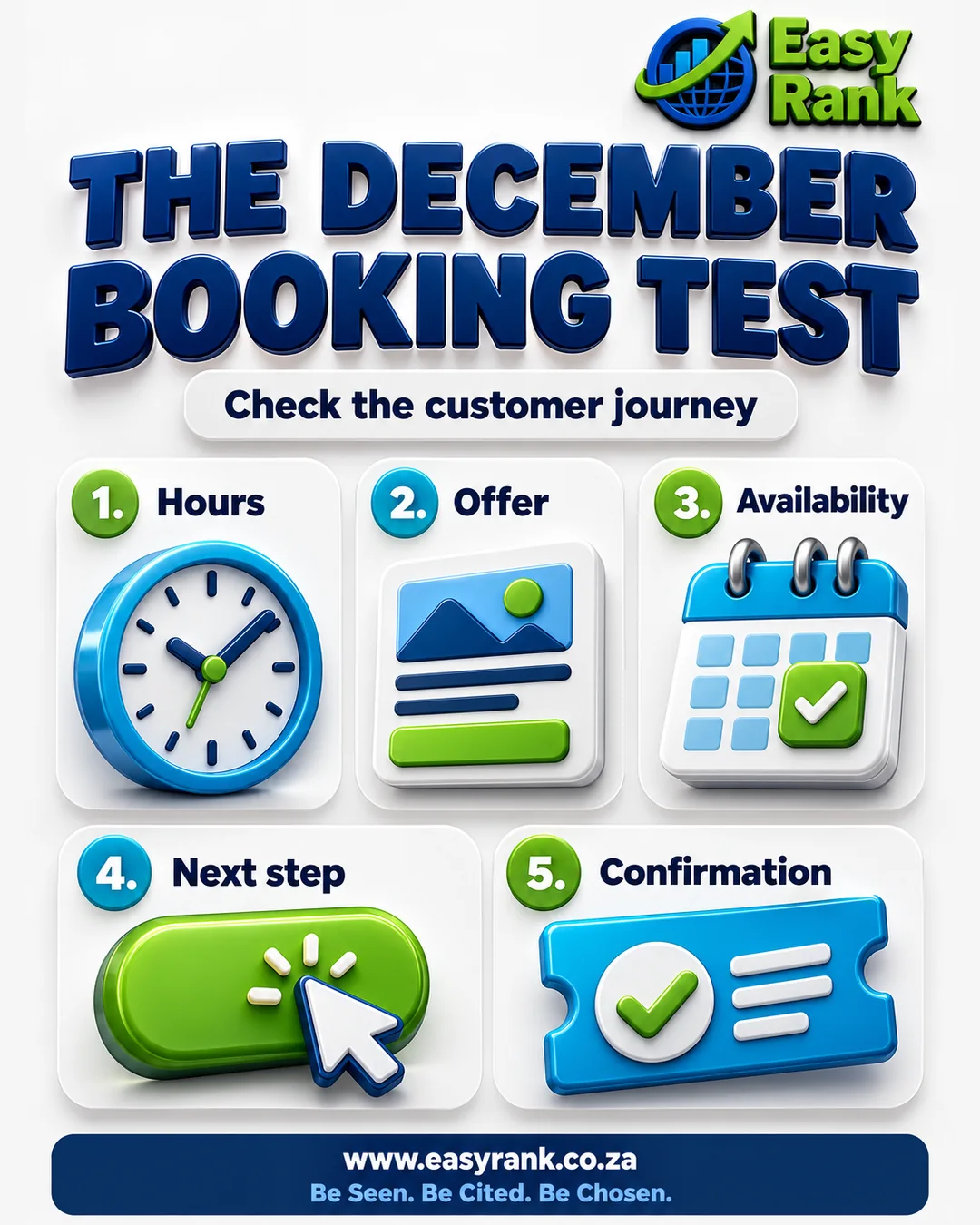
The December Booking Test follows one realistic customer task through five checks. It is an editorial working method, not a Google metric or a prediction of bookings. Choose a service and date you actually intend to offer.
- Hours: can the customer find the relevant date, operating period and closure exceptions? Check the location and the particular service, not only the business name.
- Offer: can the customer understand what is included, the location, important conditions and the price or quotation process?
- Availability: does the page explain whether the customer can walk in, must request a place or can select confirmed capacity? Do not imply live stock or availability when it is not connected to an accurate system.
- Next step: does the relevant button lead to the correct booking, enquiry, product or contact destination?
- Confirmation: does the customer know whether they have sent a request, made a payment or secured a confirmed booking?
Run the exercise on a phone and record the date, page URL and task. Ask someone unfamiliar with the page to try it without coaching. For an end-to-end submission, use an owner-authorised test and arrange how it will be identified and removed from operational reporting.
Use clear, needs correction or not checked for each item. Save a brief observation and the next action. Do not turn unknowns into failures or add the results into a supposed search-ranking score.
For businesses with several service locations, keep each journey tied to genuine coverage. The service-area page guide explains the wider content decision.
How to update Google Business Profile holiday hours
Google’s Special hours instructions explain how to record short changes without replacing ordinary hours. Google recommends confirming official-holiday hours even when they remain unchanged.
- Open the Business Profile you manage and choose Edit profile, then Hours.
- Find Special hours and select its edit control.
- Choose or add the relevant date. Enter the correct hours or mark that date closed.
- Save, then inspect the resulting information. Make the corresponding website notice accurate as well.
Google distinguishes brief changes from a closure of seven or more consecutive days, for which its current guidance recommends Temporarily closed. Review the instructions for your situation before applying a status. Different service hours may call for its More hours feature.
Have the person responsible for operations approve the calendar. Record exceptions for individual services and remove expired website banners. For the wider setup, use the Google Business Profile SEO guide. A trade business can also review the Mitchell’s Plain service-area profile guidance.
Worked example: make the December visit understandable
The following Mitchell’s Plain collection example is fictional. The dates, hours and response arrangements demonstrate copy structure; they are not an actual shop’s offer.
Unclear version: “Open throughout December. Order now and collect locally.”
A customer still needs to know which date the statement covers, whether their size is available, when to travel and whether submitting the order reserves anything.
Illustrative improved version: “Collection on 12 December 2026 is from 09:00 to 15:00 at the address shown below. Send your item and size request using the enquiry button. We will check stock and reply during our stated enquiry hours. Please wait for an order-ready confirmation before travelling. Sending a request does not confirm stock or reserve an item.”
Before using that structure, replace every operational detail with information approved by the actual business. Link to genuine payment, collection and return conditions where relevant. A tour operator should similarly explain its meeting point, check-in time, group requirements and how confirmation is issued.
Place a concise seasonal-information section on the page where the decision happens. Include the covered dates, the affected service, exceptions, the booking rule and the response expectation. Give it an honest review date and a named staff owner internally.
For a downloadable seasonal menu or brochure, the PDF price-list and brochure guide covers readable text, version dates and the route back to current information. Keep that information available as readable page text. A festive poster can support it, but should not be the only place containing hours or conditions. Our website and Business Profile consistency article explains the relationship between those destinations.
For restaurant booking journeys, distinguish restaurant opening, kitchen service and special-event reservations where they differ. State only arrangements the operator has confirmed.
Check the mobile action and the confirmation message
A useful festive season website checklist includes the customer’s action, not only the appearance of the page. On your own phone, follow the link from the relevant service page. For a messaging route, the WhatsApp Business SEO checklist covers the destination number, customer context and response process. Check that dates can be selected, text is readable and important conditions remain visible.
The W3C form-label guidance recommends labels that identify a control’s purpose and are properly associated with it. Ask your web provider to check names, dates and contact fields, useful error messages and keyboard access. A successful visual inspection is not a full accessibility audit.
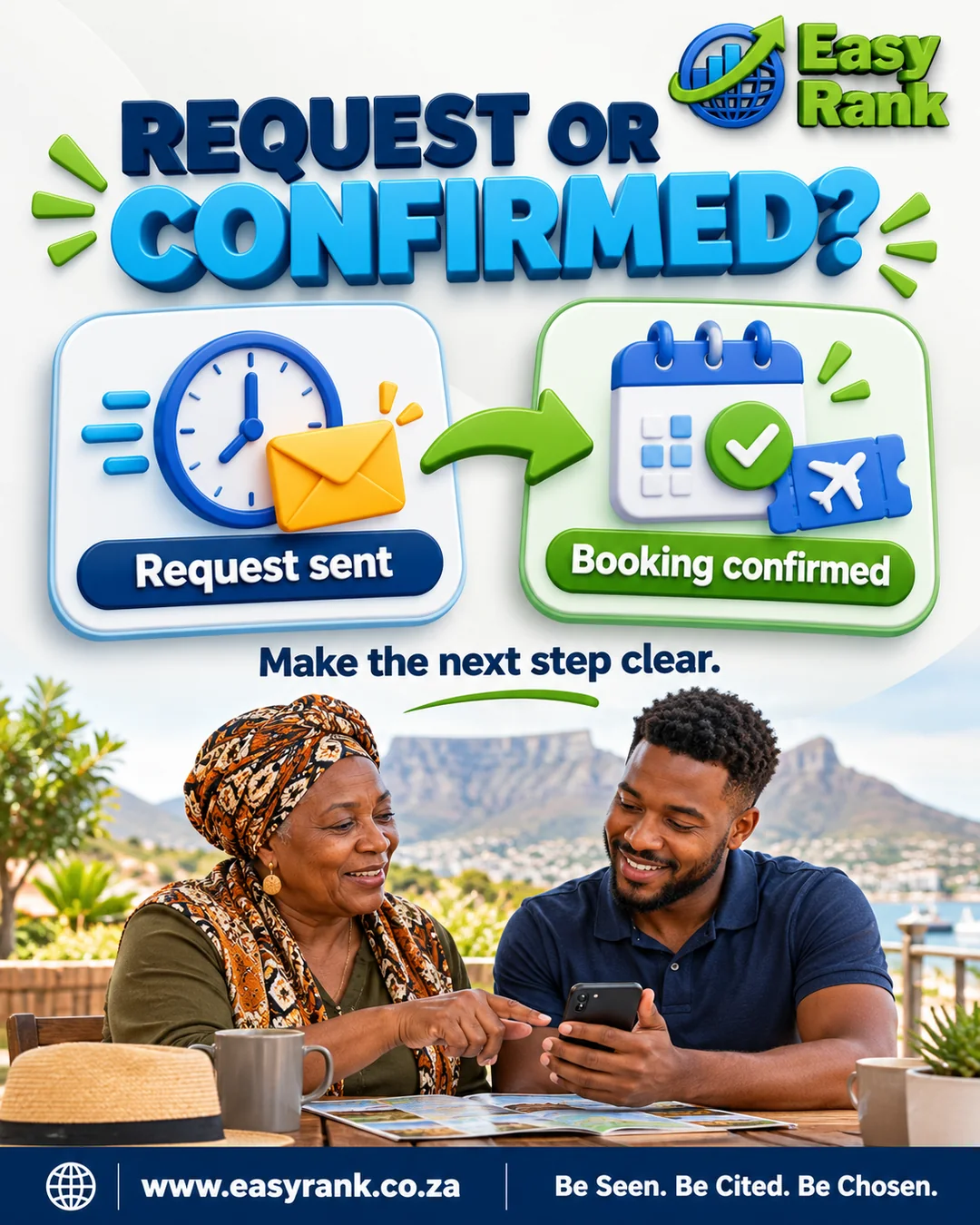
Read the message after an authorised test submission. “Request received” should explain the expected response and whether anything is held. “Booking confirmed” should identify the agreed activity, date and relevant instructions. Use those terms consistently in the website, email and staff process.
Check the business’s internal record as well. A customer-facing success message is not proof that the right person received the enquiry. If the route needs repair, scope the website improvement work around that specific task. Your website handover checklist should identify who can correct it.
Make the information useful for Google and AI search
Google’s local-ranking guidance describes relevance, distance and prominence, and recommends complete, accurate business information. Clear holiday arrangements support customers, but do not guarantee a higher Maps position.
Google’s AI features guidance says ordinary SEO foundations continue to apply to AI Overviews and AI Mode. A supporting page needs to be indexed and eligible for a search snippet; inclusion is not guaranteed. There is no special AI schema or additional AI text file required for those features.
For practical December booking readiness, write short answers with an explicit subject and date. Explain whether “open” refers to the shop, restaurant, tasting room or a specific tour. Link the answer to the relevant action and keep important facts in text.
If you use structured data, ensure it agrees with visible, verified information. The schema SEO guidance covers the wider implementation. Review generated seasonal copy through the AI content fact-checking process before publication.
Google’s people-first content guidance asks creators to add original value and help readers complete their goals. Our recommendation is to publish the information customers genuinely need, with evidence and clear responsibility for updates.
Use the free December Readiness Worksheet
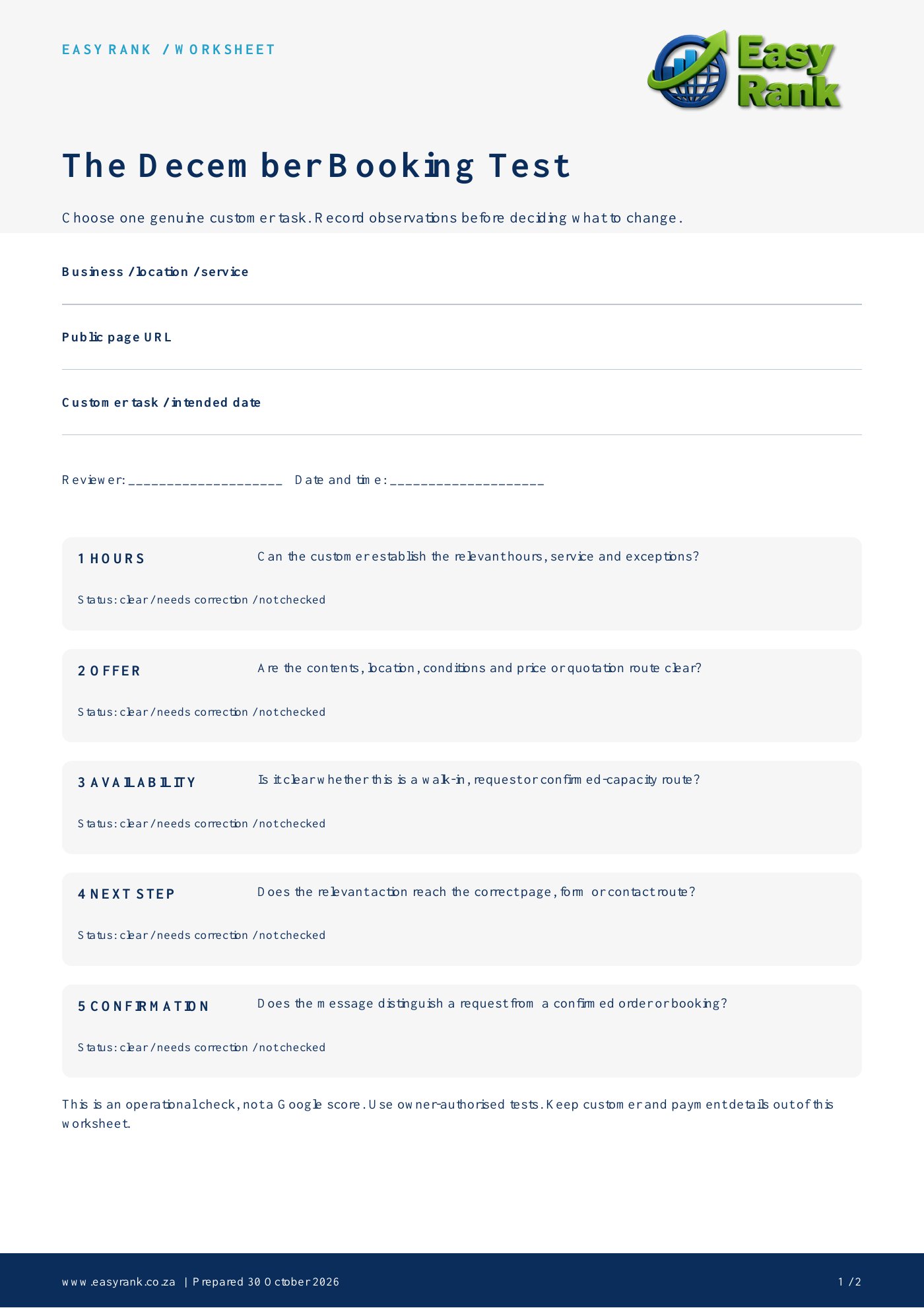
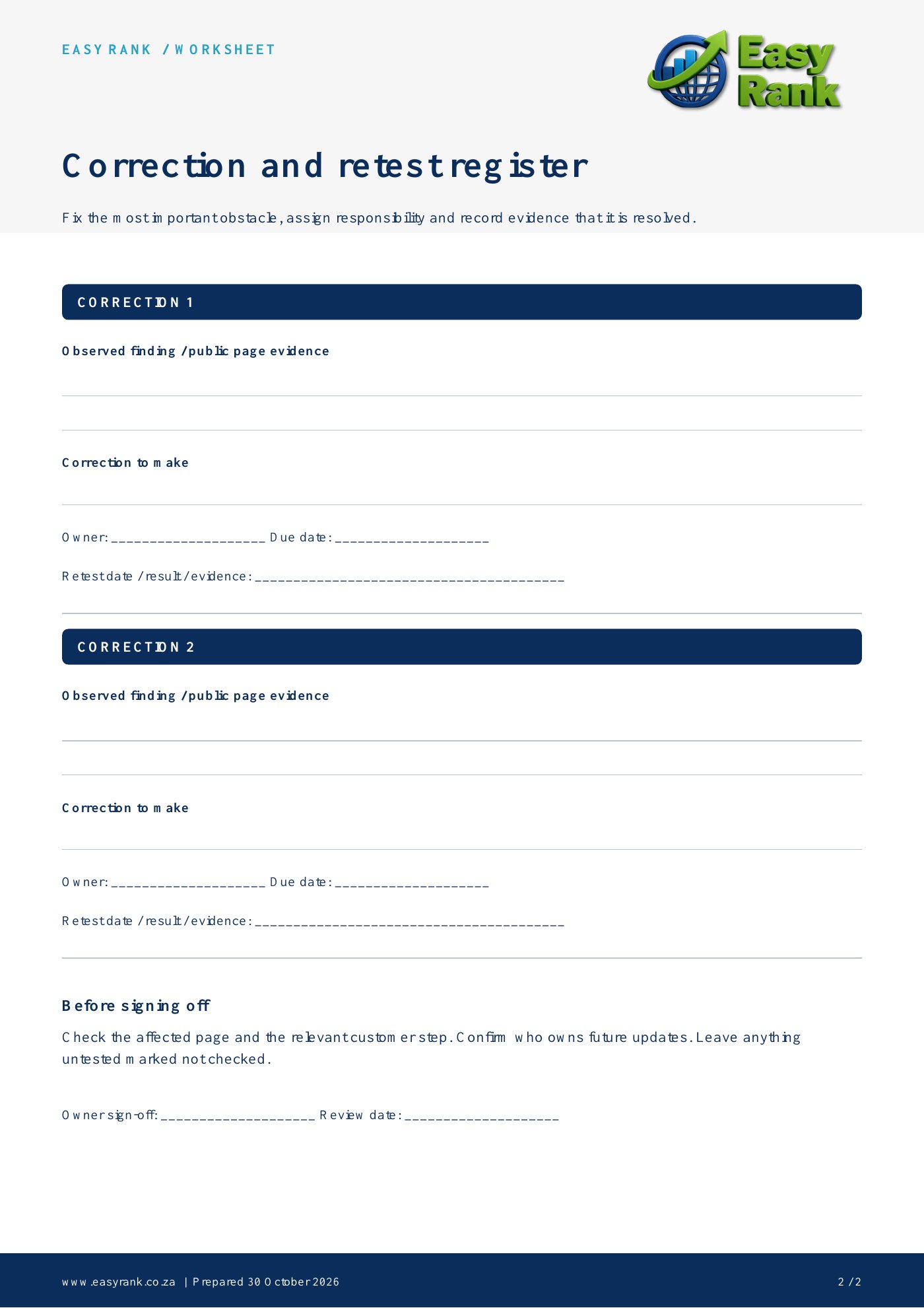
The two-page printable worksheet turns this December business checklist into a small operational review. Page one records the chosen journey and five checks. Page two provides a correction register with space for evidence, an owner, a due date and a retest result.
How to use it: choose one priority service, complete the five observations and assign the most important correction. Fix an incorrect closure notice or unusable booking route before polishing a decorative banner. Mark untested stages honestly.
Keep customer names, contact details and payment information out of the worksheet. Use public page details or clearly identified test records. Confirm the correction on the affected page and through the relevant customer step.
For a tourism business, this supports the work described in our Cape Town tourism SEO service. For a shop preparing a promotion, use it alongside the product and checkout checks in the Black Friday guide.
Print your worksheet: open worksheet page 1 and worksheet page 2, then save or print the full-size images.
Record the business, location, service, public page URL, intended customer task, reviewer and review date. For each check, note whether it is clear, needs correction or was not checked. In the correction register, record the evidence, change required, responsible person, due date and retest result.
Keep a November action plan and measure real outcomes
Start by agreeing the operating calendar and priority offers. Then update business information and the relevant pages. Leave time for an authorised test, staff handover and a correction before the campaign begins. Repeat the affected checks when hours, stock or capacity changes.
Assign responsibility for after-hours enquiries. If the team cannot respond immediately, say when it can. Make sure staff know which requests are pending and which are confirmed. A clear website promise needs an operational process that can fulfil it.
Measure discovery, enquiries and completed business separately. Record search visibility where available, useful enquiries, confirmed bookings or collected orders, then cancellations and unresolved problems. A click on a contact button does not establish a sale.
The search and enquiry measurement guide provides the broader context. Keep test submissions identifiable so they do not inflate results. After December, remove expired claims and retain useful information on stable URLs. Festive season local SEO should leave the business with a clearer, maintainable customer journey.
Questions business owners ask
When should I start festive season local SEO?
Start when your December operating plans can be confirmed. Agree the dates, offers and responsibilities first, then update and test the customer journey. If time is short, prioritise inaccurate hours, unclear conditions and blocked enquiries.
Should I confirm holiday hours if they do not change?
Yes. Google recommends confirming hours for official holidays even when they match ordinary hours. Check its current Special hours instructions and make the website information consistent.
Does a request form count as a confirmed booking?
Only if the business’s actual process confirms the booking at that stage. If staff must review availability, label the action as a request and explain the response process. Do not imply that capacity has been reserved when it has not.
Will this guarantee Google Maps or AI recommendations?
No. Accurate information and a useful page support discovery and customer decisions, but do not guarantee rankings, indexing, citations or recommendations. Our five-check method is an operational worksheet, not an engine score.
Do the named venue examples confirm December availability?
No. They describe information observed on public pages on 30 October 2026. Check the venue’s current information and booking process for the date and activity you intend to arrange.
Can a small business use this without a booking system?
Yes. Provide a suitable enquiry route, explain the information required and set a realistic response expectation. State when an enquiry becomes an accepted order or booking. Test the route with the owner’s permission.
Ask Easy Rank to check your December customer journey
Send your website, priority service and intended operating dates. Easy Rank can discuss a scoped review of business information, relevant pages and the mobile enquiry or booking route, followed by a prioritised correction list.
Our Google Business Profile support and website work can be scoped around the problems identified. Request a December readiness proposal with the customer task you want to improve. Agree deliverables and verification before work starts.
About the author

David Gous is the founder of Easy Rank, a division of Bizconnexity, working with South African businesses on websites, SEO and AI search visibility. This guide combines a documented public-page review with an original customer-journey worksheet. It does not claim venue visits, completed reservations or measured client results.
Sources, scope and corrections
Official venue pages and platform guidance were reviewed on 30 October 2026. Links appear beside the observations they support. The named venues are examples, not clients or endorsers of this guide. The illustrations depict fictional people and concepts.
The research covers the readable content obtained from selected public homepages. It does not establish all information available elsewhere on those sites. The two unassessed captures remain unknown. To suggest a factual correction, contact Easy Rank with the relevant page and detail. Material corrections should be recorded with their review date.