 Skip to content

Website Handover Checklist South Africa: 9 Essential Checks
By David Gous · · 11 min read
Include downloadable documents in the handover using the business PDF publishing checklist, with a source-file owner, current version and verified links. A website handover checklist South Africa businesses can use should verify control of the domain, hosting, WordPress, backups and the systems that receive customer enquiries. A live website is only one part of a successful handover. The business also needs to know who can maintain it, what renews and how recovery works.

This guide gives you nine practical checks and an access inventory you can copy. It is intended for owners receiving a new website or moving between suppliers. It covers operational verification rather than deciding legal ownership. Where ownership or licence rights are disputed, resolve those questions through the relevant agreement and qualified advice.
Documentation checked: 18 October 2026. The scenarios are hypothetical. No client handover, security certification or recovery result is claimed.
In this guide
What a website handover needs to cover

A website depends on several systems that may be managed by different providers. Your domain registration, hosting, website login, email delivery, forms and analytics are not necessarily controlled through one account. A WordPress password alone does not demonstrate access to everything. Also test the website-to-WhatsApp enquiry route and record who monitors the business number.
Start with an inventory rather than a request for “all passwords”. Identify each system, the business contact responsible for it and the access needed for the agreed work. Record recovery and renewal arrangements without putting secret values into an ordinary spreadsheet.
For a new build, make handover deliverables part of the scope before launch. For an existing site, identify gaps calmly and verify them one at a time. A supplier may provide a managed service legitimately; the important point is that the business understands the arrangement and its dependencies.
Our website design service and AI-ready WordPress website service are relevant to defining a build. This article focuses on the evidence needed to operate and maintain the finished site.
Nine checks for your website handover checklist South Africa review
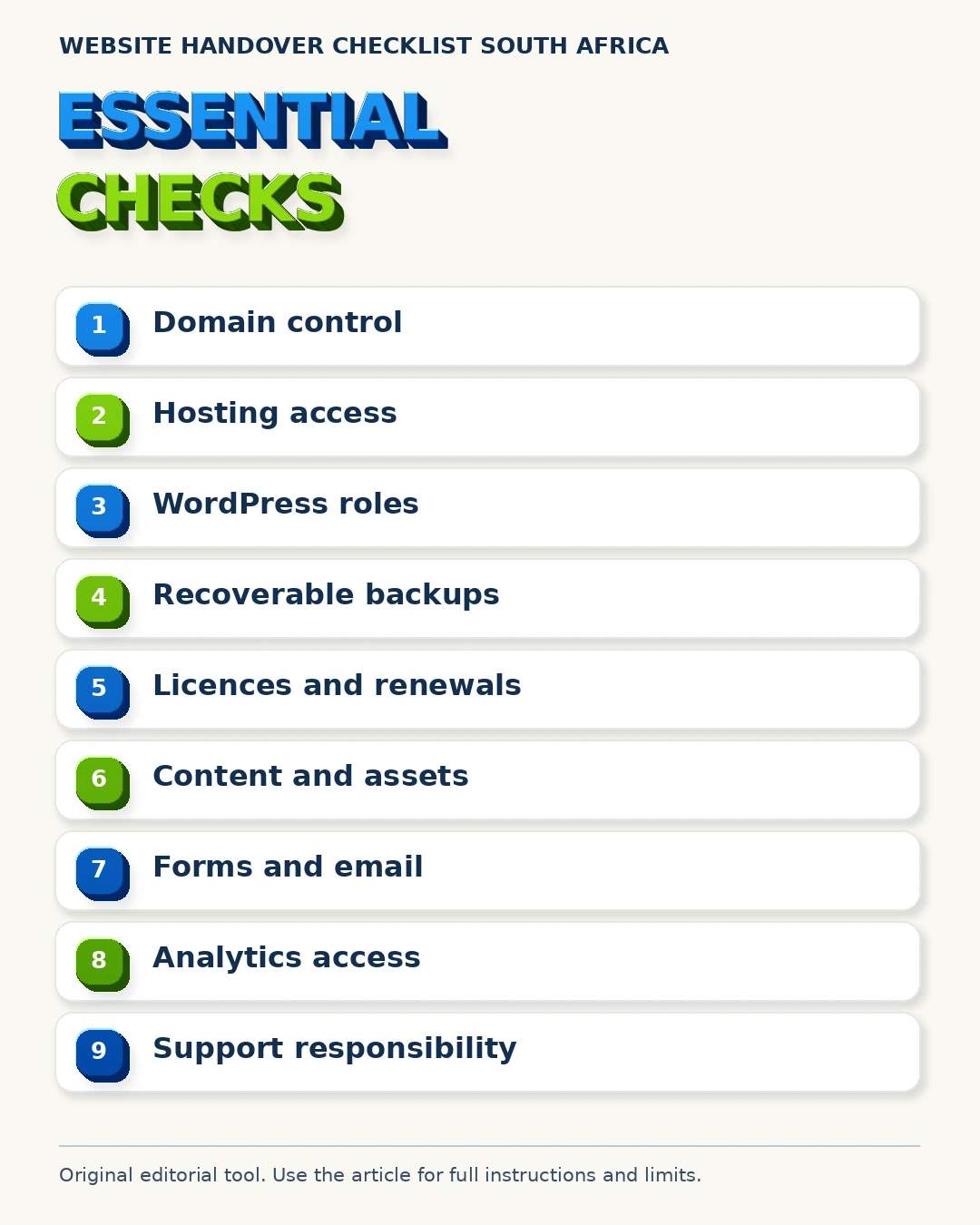
Use a separate status for verified, unresolved and not applicable. Do not mark a check complete because someone says the access “should work”. Confirm it through an appropriate action or documented arrangement, while avoiding unnecessary changes to working systems.
1. Confirm domain management arrangements
Identify the registrar or provider managing the domain. Confirm the business’s authorised contact, renewal responsibility and recovery route. Know who can make a legitimate DNS change when needed. Do not change nameservers merely to test whether access exists.
The ZACR information site provides context for South African domain registration infrastructure. Your actual management process depends on the registrar or provider used. Record that provider and the relevant account relationship in the inventory.
A domain can point to a working website while the business has no practical understanding of renewal or recovery. Resolve that knowledge gap before an urgent change or expired renewal makes it harder to act.
2. Identify the hosting account and support route
Record where the production site is hosted, what the service includes and who can contact support. Confirm the renewal arrangement and whether the hosting is supplied directly or through a managed service. Note any staging environment and its purpose.
Ask which person is responsible for storage, server configuration and restoration requests. A website designer may not be the hosting provider. Clear responsibility prevents a technical incident from becoming a chain of referrals with nobody taking ownership of the investigation.
Our WordPress website design guide helps frame platform requirements. Hosting access should fit the business arrangement and the work required, rather than defaulting to the broadest possible access for every participant.
3. Verify WordPress roles and business access
Confirm that the business has the agreed access through an appropriate named account. Identify who can edit content, manage users and maintain the site. Do not treat a shared administrator login as a complete long-term access plan.
WordPress documents its roles and capabilities. The correct role depends on the task. A person updating article text may not need permission to change plugins or users. Additional plugins can also affect capabilities, so verify the actual installation.
Record who retains administrative responsibility if the supplier continues to manage the site. If the relationship ends, agree on a controlled transition instead of deleting accounts before you understand their dependencies.
4. Verify backups and recovery responsibility
Ask what is backed up, how often, where copies are stored and who can recover the site. A complete WordPress recovery normally needs both relevant files and the database. The backup plan should reflect how frequently the website changes.
WordPress’s backup guidance explains the components involved. Ask for evidence of a suitable recovery check, ideally in an isolated environment. Do not overwrite the live database as a casual handover test.
For websites with orders, bookings or frequent submissions, discuss how new activity would be preserved during recovery. A technically successful restore to an older point can still lose business information if the process ignores recent activity.
5. List licences, subscriptions and renewals
Identify paid themes, plugins, booking tools, stock assets and other subscriptions the website depends on. Record who holds each subscription, who pays and what happens if it is not renewed. Do not assume a perpetual right because a feature currently works.
Some suppliers include licences while they manage a site. Others require the business to subscribe directly. Neither description is complete without knowing the terms and practical consequences. Verify the relevant provider’s terms rather than making a general legal claim.
Our website maintenance service is relevant to ongoing care. Maintenance, hosting and software renewals may be separate scope items. A useful handover makes those distinctions visible before invoices or updates become confusing.
6. Record content and asset provenance
Keep the final approved page content and identify the source of important images, fonts and downloads. Note which material belongs to the business, which is licensed and which was generated as editorial illustration. Keep supporting permissions where appropriate.
Do not describe generic stock or AI-generated imagery as completed customer work. If the website has no case studies, accurate process explanations and practical tools can still support the buying journey. Our AI content SEO guide discusses factual review.
The website handover checklist South Africa inventory should also identify who approves future factual changes. A supplier cannot confirm changing services, accepted job types or trading arrangements without input from the business.
7. Test forms and email delivery
Submit a clearly labelled test through each important form and verify its arrival in the intended destination. Check the confirmation shown to the visitor. Confirm who monitors enquiries and what information is included in the notification.
If the site uses an email delivery service, record the provider and responsibility for maintaining the connection. A form can appear functional while delivery fails elsewhere. Do not assume that a button click or success message proves receipt.
For a quotation or proposal route, make sure the fields request enough information to begin the conversation. Avoid unnecessary sensitive information. Our trade website guide includes examples of useful initial enquiry information.
8. Confirm access to measurement and business profiles
Identify the analytics property, Search Console property and relevant Business Profile, where applicable. Confirm that authorised business users have the agreed roles. Record the account relationship and recovery contact without exposing credentials in the inventory.
Google provides guidance on Search Console owners and users and Business Profile owners and managers. Follow the relevant product’s supported access process rather than sharing a personal Google login.
Our AI SEO measurement guide explains why reporting access and definitions matter. A handover should preserve the ability to understand what was measured and when tracking changed.
9. Agree on support and maintenance responsibility
Write down who handles updates, security incidents, content edits, backups and hosting problems. Specify how support is requested and which work requires a new quote. Avoid relying on an informal promise that “everything is covered”.
Also identify the business-side contact who can confirm facts and authorise work. Technical maintenance does not keep service information accurate automatically. Both the website operator and the business need understandable responsibilities.
Our SEO services address search work, while maintenance addresses the site’s operational care. A website handover checklist South Africa review should make clear which ongoing services have actually been agreed.
Compare assumptions with evidence
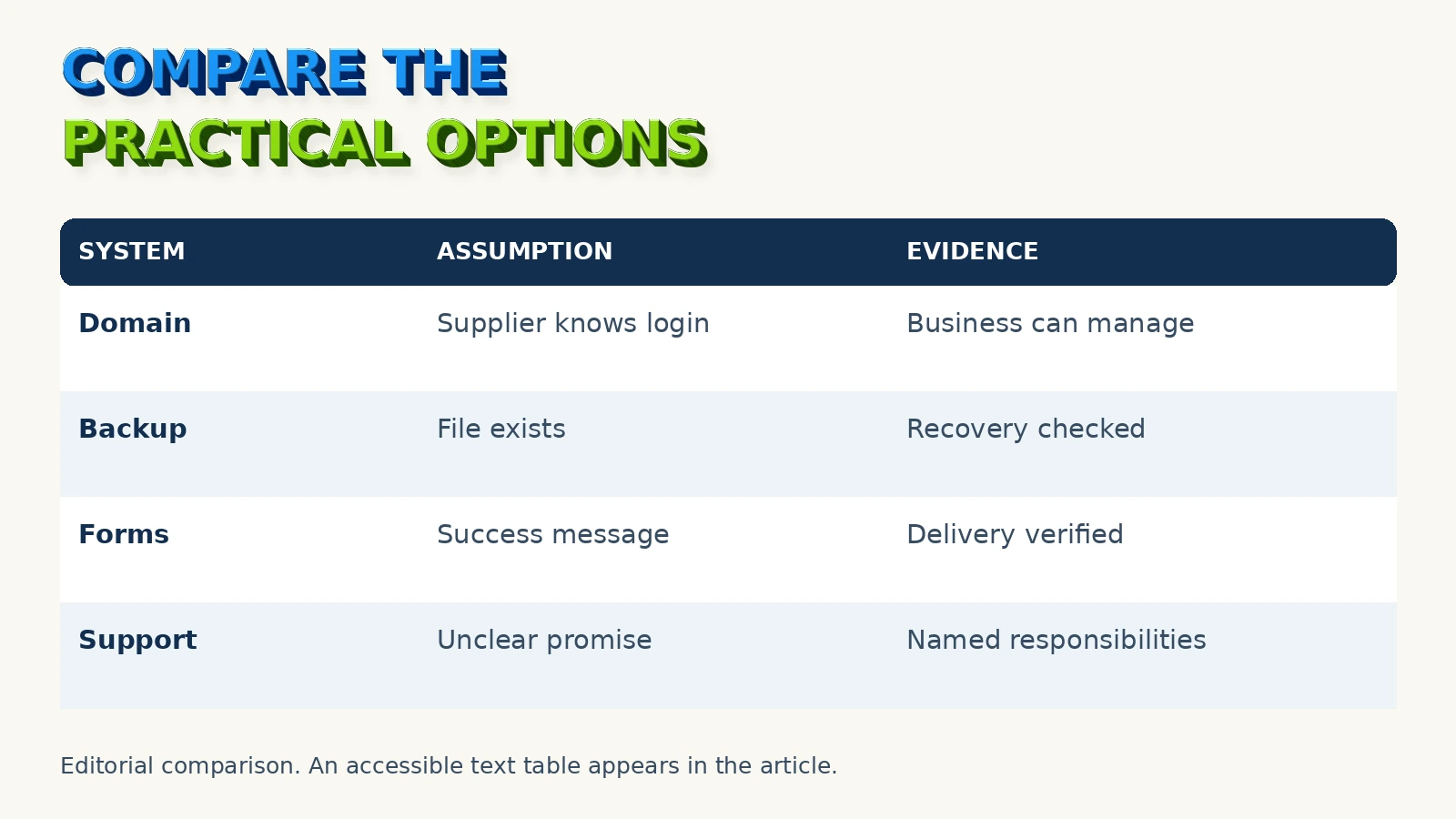
Use the table below to spot handover gaps. These are operational examples, not statements about legal entitlement. Where access is intentionally managed by a supplier, record how the business requests action and what happens when the arrangement changes.
| Area | Unverified assumption | More useful evidence |
|---|---|---|
| Domain | “The developer knows the login” | Provider, authorised contact, renewal and recovery recorded |
| Hosting | “It is included somewhere” | Hosting arrangement and support responsibility identified |
| WordPress | “We have a password” | Agreed named account and appropriate role verified |
| Backups | “There is a backup file” | Scope, storage and suitable recovery check documented |
| Forms | “The success message appears” | Test delivery confirmed in the intended destination |
| Licences | “The plugin is installed” | Subscription holder, renewal and dependency recorded |
| Support | “Call if anything happens” | Scope, contact route and responsibilities written down |
The purpose is continuity. The business should know how to operate the website and obtain help without having to reconstruct every account relationship during an incident.
Build the access inventory
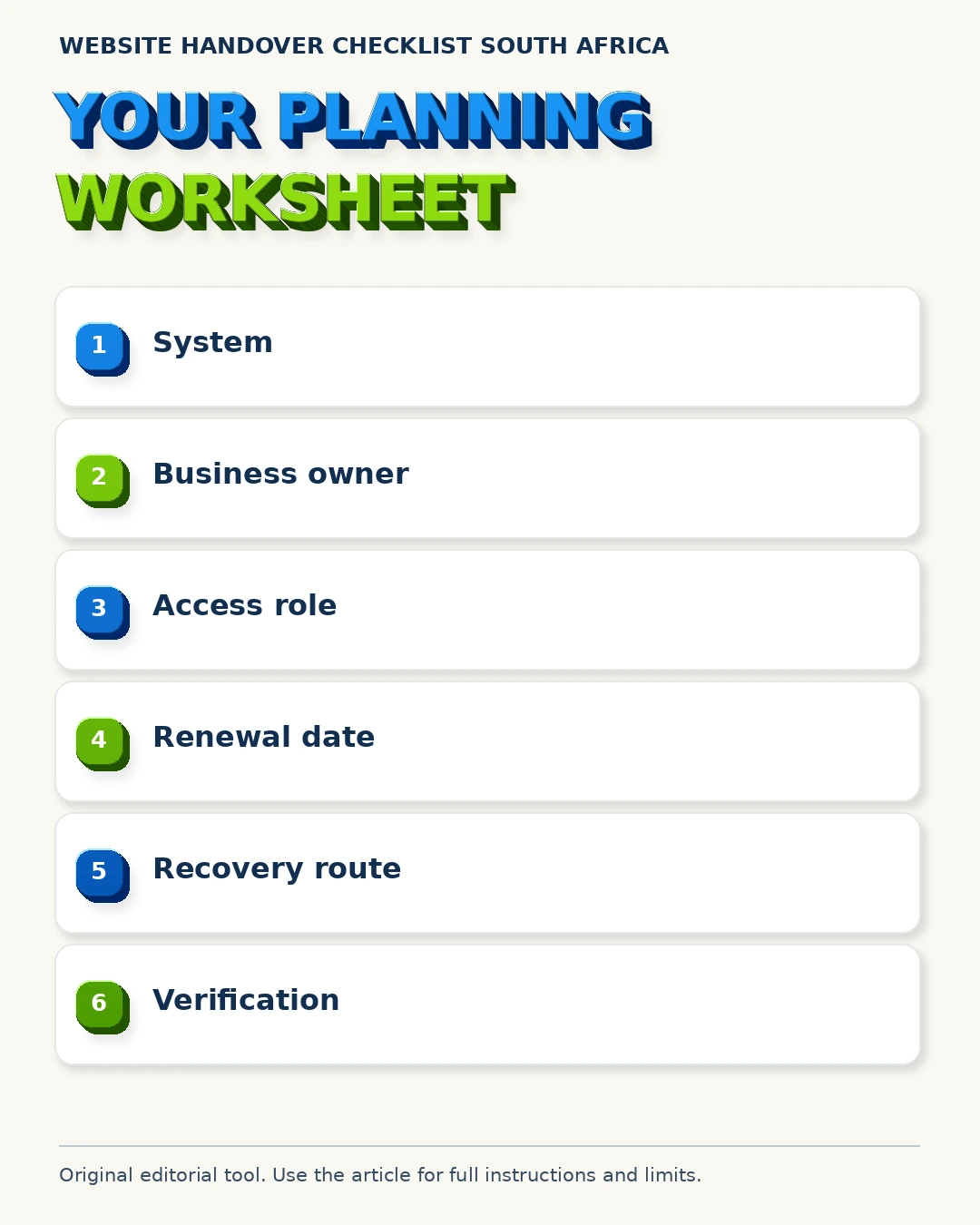
Keep this inventory separate from the place where secrets are stored. The worksheet identifies systems and responsibilities. It should point authorised people to the approved access or recovery process without containing passwords, recovery codes or private keys.
| Inventory field | What to record |
|---|---|
| System | Domain, hosting, WordPress, forms, analytics or other service |
| Provider | The actual platform or supplier |
| Business contact | The authorised person responsible inside the business |
| Access arrangement | Named role or managed-service process |
| Renewal | Date, payer and notification destination |
| Recovery route | How authorised recovery is initiated |
| Dependency | Related service or licence needed for operation |
| Verification | What was checked, by whom and when |
| Open item | Any unresolved question and its owner |
Start with the systems most important to business continuity. For a lead-generation site, that usually includes the domain, hosting and enquiry delivery. For a shop, payment, order and product systems add further requirements. Adapt the inventory to the actual website.
If a field is unknown, record it as unknown with a responsible person. A visibly incomplete worksheet is safer than a document full of assumptions that nobody has tested. Set a practical date for resolving material gaps.
Handle sensitive access safely
Use the platform’s supported invitation and role features where available. Keep accounts attributable to the people using them. Store credentials through an approved secure method and follow the provider’s recovery process when access is lost.
Do not paste passwords into proposal documents, screenshots or routine email threads. A handover meeting can verify access without displaying secrets to everyone present. Share only the access needed for the task with the appropriate authorised person.
WordPress’s hardening guidance provides a primary reference for operational security. This article is a handover planning tool, not a full security audit. A complex or sensitive website may need additional specialist work.
When a supplier relationship changes, plan access changes alongside service continuity. Verify replacement access and dependencies before removing an account that manages a critical integration. Document who will complete that transition.
A hypothetical handover problem
Fictional example: a business receives its website and an editor login. Months later it needs a hosting change, but nobody knows the hosting provider or who receives domain renewal notices. The site has not failed in this example, and no customer loss is assumed.
The immediate response is to identify the actual providers and authorised contacts, then document the arrangement. It is not to replace the website or change DNS without understanding the current setup. The business can work through the inventory with its supplier.
A more complete original handover would have included provider details, access roles, renewal responsibility and a recovery route. Those records would have made the later change easier to plan. The value is practical preparedness rather than a promised SEO improvement.
This is why a website handover checklist South Africa review should happen while the original supplier is available. It is easier to clarify an arrangement as part of normal delivery than during an urgent incident.
Record acceptance and open items
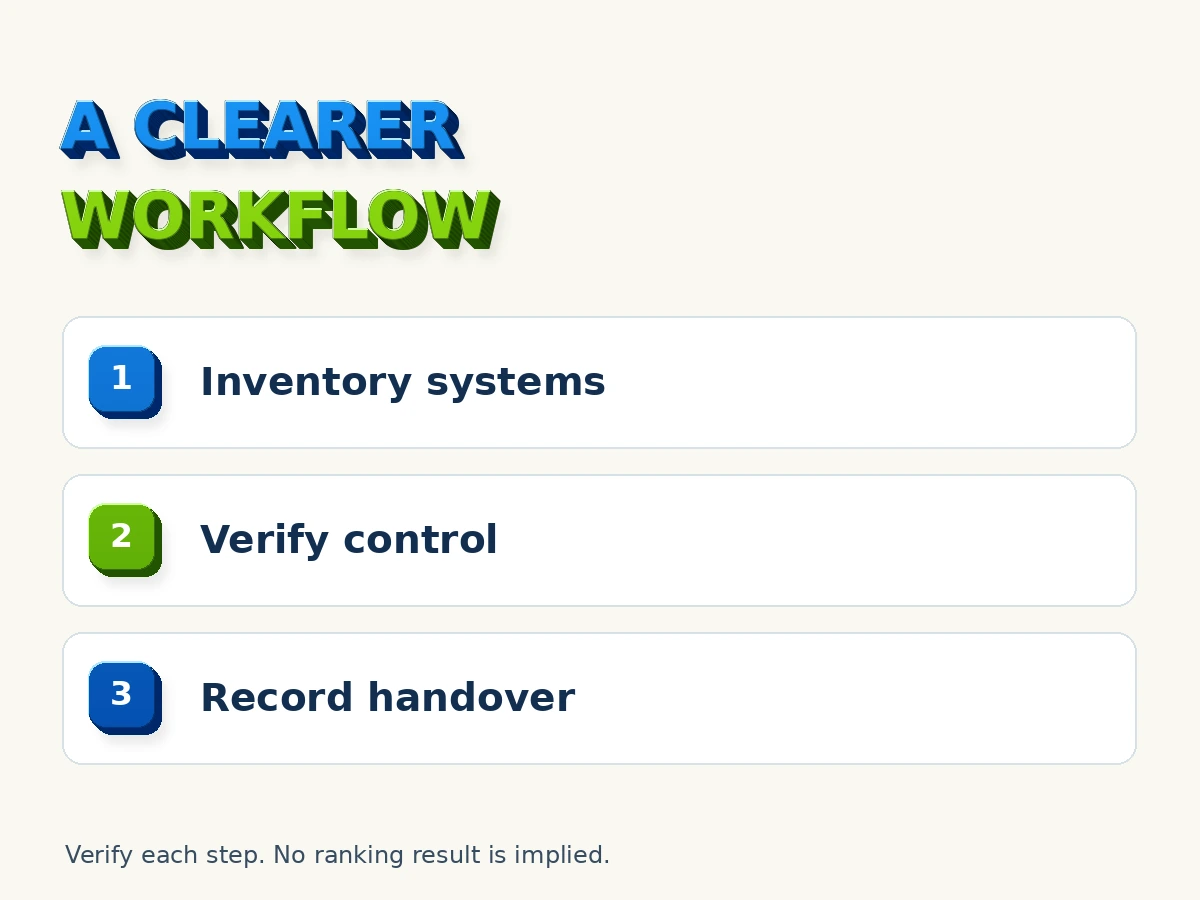
Create a short acceptance record listing what was verified, what remains unresolved and who owns each next step. Attach or reference the access inventory, backup information and relevant support scope. Keep the record available to authorised business contacts.
Do not allow a minor cosmetic issue to obscure a missing critical access arrangement. Equally, do not label every difference from your preference a failed handover. Prioritise continuity, customer routes and the agreed deliverables.
After acceptance, keep the inventory current when providers, staff or subscriptions change. Include a review in the website’s normal maintenance process. The record should describe the actual operating arrangement rather than remain a snapshot of launch day.
For website content and business identity checks, our Business Profile consistency guide and AI website readiness guide offer further context. Use them as related reading, not a substitute for verifying access.
Frequently asked questions
Does a WordPress login mean I control the domain?
No. WordPress, hosting and domain management can use different providers and accounts. Record each arrangement separately and verify the access the business has agreed to receive.
Should the handover spreadsheet contain passwords?
No. Record systems, roles, responsible people and recovery routes. Keep secrets in an approved secure system and share access through supported role or invitation features where available.
How do I know whether backups are useful?
Confirm what they contain, where they are stored and who can restore them. Ask for evidence of an appropriate recovery check without casually overwriting the production site.
Are hosting and maintenance always included in a website price?
No universal arrangement applies. Check the actual scope, renewal responsibilities and dependencies. Clarify ongoing services before accepting the handover.
Does this checklist establish legal ownership?
No. It supports operational planning. Ownership, licence rights and contractual obligations depend on the relevant agreements and circumstances. Resolve disputed questions through appropriate professional advice.
Arrange a practical handover review
Contact Easy Rank with your website, current platform and the handover gaps you want to clarify. Do not include passwords in the enquiry. We can discuss the appropriate review scope and access process.
About the author

David Gous is the founder of Easy Rank in Cape Town, working on website design, SEO and AI search visibility. This guide provides an original operational inventory based on primary documentation. It does not claim client recovery results or provide a legal ownership determination.